Download
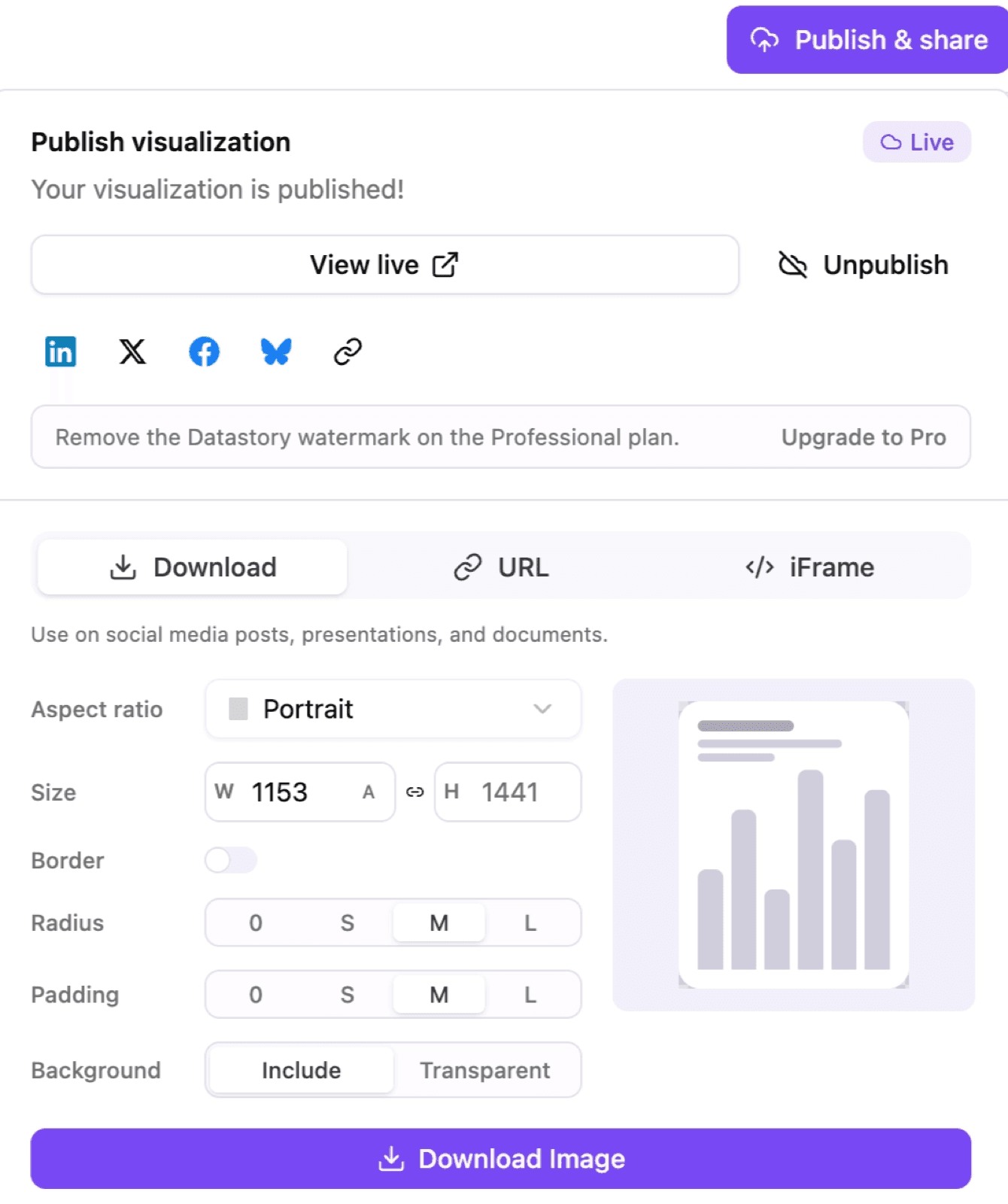
For a static version, use Download to save your chart as an image. Open Publish & share at the top right of the screen and click download.
Set the image up before you download:
- Aspect ratio - pick a shape that fits where it’s going, like portrait for social feeds.
- Size - aspect ratio sets the shape (portrait, square, etc.), and size shows the resulting width and height in pixels, which can be fine-tuned. The link icon between W and H locks the proportion so editing one updates the other.
- Border, radius, and padding - adjust the framing and spacing around the chart.
- Background - choose include for a solid background, or transparent to drop the chart onto a colored slide or page.
A live preview updates as you change these settings. When it looks right, click download image.
For a live, interactive version instead of an image, use the URL or iFrame tabs (see Publish and share).